Why Are My Plotter Prints Falling on the Floor?
Why plotter prints end up on the floor, and why output handling (basket vs flat stacker) deserves more attention than speed when buying a wide format plotter.
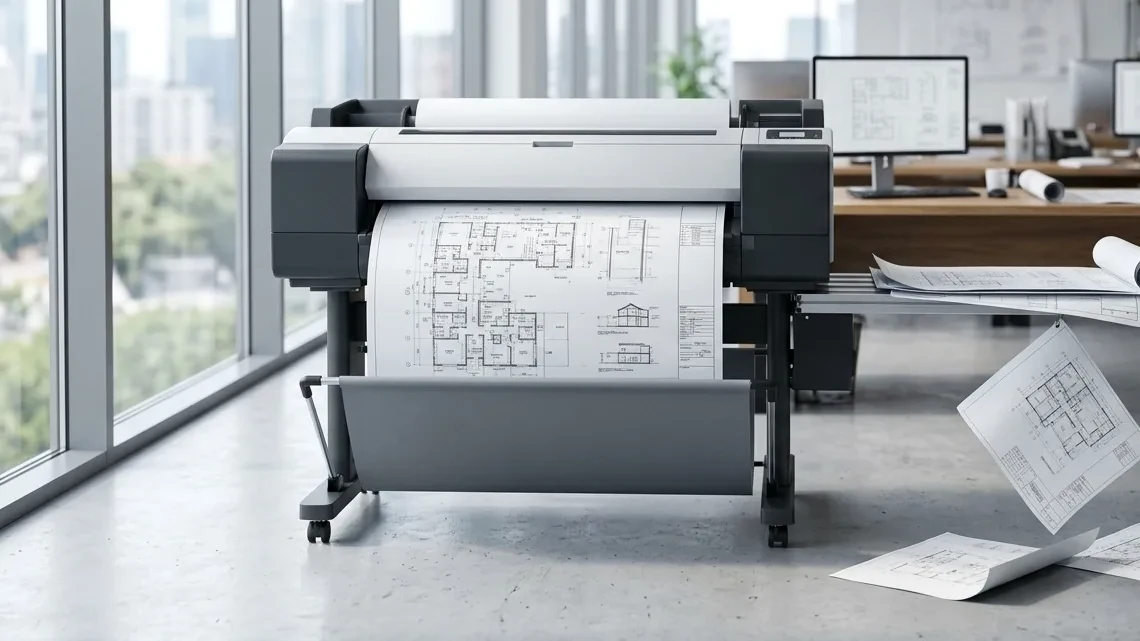
Over the years, I’ve received plenty of calls from architects, engineers, surveyors, and contractors complaining that drawings were ending up on the floor. In the wide-format industry, it’s actually a fairly common issue. Most of the time the cause is straightforward. The paper may be curling because of humidity, the basket may not be adjusted correctly, or the output system simply wasn’t designed for the amount of printing being done.
A few weeks ago, however, I visited a client whose situation reminded me why output handling deserves far more attention than it typically receives during the buying process.
The client explained that employees were constantly dealing with drawings that were rolling, mixing together, and occasionally ending up on the floor. At first, I assumed this was one of those situations where a paper roll had absorbed moisture or the basket needed adjustment. After all, I’ve seen those issues many times throughout my career.
Once I arrived and watched the device in operation, it became clear that this wasn’t simply an occasional inconvenience. The office was producing multiple sets of drawings throughout the day. As each document exited the machine, it dropped into a basket-style output system. Some prints curled as they landed. Others slid underneath previous drawings. When larger jobs were printed, employees often had to spend time reorganizing sets and sorting through documents before they could distribute them to project teams.
What struck me wasn’t the fact that an occasional drawing ended up on the floor. I’ve seen that happen with many different wide-format devices over the years. What caught my attention was the amount of employee time being consumed managing the output. The plotter was doing exactly what it was designed to do, printing drawings, but the workflow after the print left the machine was creating an unexpected bottleneck.
That experience reminded me of something many buyers overlook when shopping for a new plotter. Most conversations focus on print speed, scan speed, image quality, operating costs, and monthly volume requirements. Rarely does anyone spend much time discussing how the drawings will actually be delivered to the user once the print job is complete.
Yet for many architectural and engineering firms, that final step can have a significant impact on productivity.
Not All Stacking Systems Are Created Equal
When evaluating a new plotter, most buyers naturally focus on the specifications that appear on the brochure. They compare speeds, resolutions, scanner capabilities, and costs per square foot. Those specifications certainly matter, but they don’t always tell the complete story.
Wide-format devices generally use one of two approaches when handling printed documents. Some utilize basket-style output systems, while others offer flat stacking systems designed to keep drawings organized as they exit the machine.
Basket systems are simple and effective for many environments. They help keep the footprint of the device smaller and are often less expensive to manufacture. The challenge appears when firms begin printing large numbers of drawings or complete construction sets. Because wide-format documents naturally want to curl, prints can overlap, roll together, or become disorganized as additional sheets enter the basket. While this may only create a minor inconvenience for occasional users, it can become a daily frustration for organizations that produce drawings continuously throughout the day.
Flat stacking systems take a different approach. Rather than allowing prints to drop into a basket, documents are delivered onto a flat tray where they remain organized and easier to retrieve. Multi-sheet sets stay together, employees spend less time sorting output, and the risk of damaged or misplaced drawings is reduced. Firms that produce construction documents, bid packages, site plans, and revision sets often appreciate the value of a flat stacker long after the purchase decision has been made.
In many cases, users don’t realize how much they relied on a flat stacking system until they no longer have one.
The Hidden Productivity Cost
One of the biggest mistakes organizations make when evaluating a plotter is focusing entirely on the acquisition cost while overlooking the impact on workflow. Let’s assume an engineering firm produces approximately 100 drawings each day. If employees spend just a few extra seconds sorting, stacking, and organizing output from a basket system, those seconds accumulate surprisingly quickly.
Over the course of a year, that lost time can add up to dozens of hours that could have been spent supporting projects, serving clients, or completing billable work. While the output tray may seem like a small feature, the effect on productivity can be much larger than most people expect.
This becomes especially important for architects and engineers because they rarely print individual drawings. More often they print complete sets consisting of civil plans, structural drawings, utility layouts, landscape plans, and revisions. When those documents become mixed together after printing, employees are forced to manually rebuild the sets before they can be distributed. The larger the project, the more disruptive the process becomes.
I’ve even seen firms purchase tables, carts, and makeshift catch systems simply to compensate for output handling limitations. Those are costs that never appear on a specification sheet.
The Real Lesson
After 46 years in the office equipment and wide-format industry, I’ve learned that productivity is often influenced by the smallest details. Everyone notices print speed. Everyone notices image quality. Everyone notices the purchase price. What many people fail to notice is what happens after the drawing leaves the machine.
The next time you’re evaluating a plotter, don’t stop at the specifications. Ask to see the device print a complete drawing set. Watch how the documents exit the machine. Pay attention to how easily employees can retrieve and organize those prints. Consider how that workflow will function not just on day one, but every day for the next five or seven years.
A plotter may produce beautiful drawings at an attractive operating cost, but if employees are spending valuable time sorting prints, rebuilding sets, and managing output, the device may be introducing costs that are much harder to measure.
Sometimes the difference between an efficient workflow and a frustrating one comes down to something as simple as where the drawing lands after it is printed.